.
.
.

.

.
.
 .
.
 .
.
 .
.
.
.
 .
.
 .
.
 |
..... |
Internet
Marketing for High School Teachers
at
Old
Dominion University

Titles - You should always
give your page a title. This is very important. This is what
visitors see in the blue title bar at the top of their browser when they
visit your site. It is also what they see when they bookmark your
page. In addition, it plays an important role in how search tools
index your page in their rankings. If you want to know more, ask
me. I haven an entire lesson how how to title your page and how to
maximize your title for good search engine rankings. But for now,
title your page! To do this, go to Format, then Page Colors
and Properties. Fill in an appropriate title. This does
NOT have to be the same name you have given your file when you saved it!
It will have one name that you have saved it under (and will appear in
your URL), and a separate title that will be used to title your page.
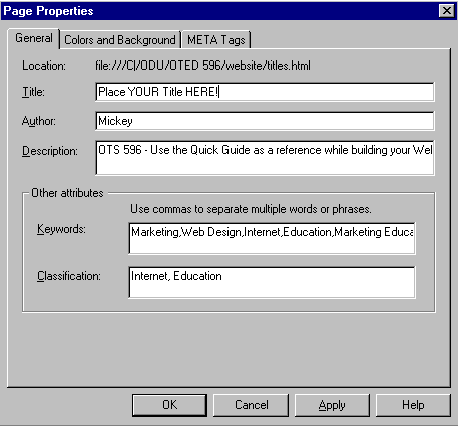 Colors - While you're at this dialogue
box, click on the tab that says "Colors and Backgrounds." Here you
will have the option of changing background colors, using an image as a
background, and changing the colors of your hyperlinks. This is important
when you are utilizing a color scheme throughout your site. Can you
imagine this page with red and purple
links? Yuk. Once you've selected your color scheme, be sure
to click on the button that says, "Use Custom Colors. (save colors in page)"
This way you can be sure that your visitor is seeing the colors you intended
them to see!
|
Netscape
Composer | Creating
a hyperlink | Insert
an image
Titles,
backgrounds, and link colors | Using
Tables | Naming
your files
Uploading
your pages to the World Wide Web | Test
your knowledge
Course
Home | Schedule
| Project I
| Resources
Phase
I | Phase
II | Phase
III
.
.
Contact Mickey Kosloski at mkoslosk@odu.edu